
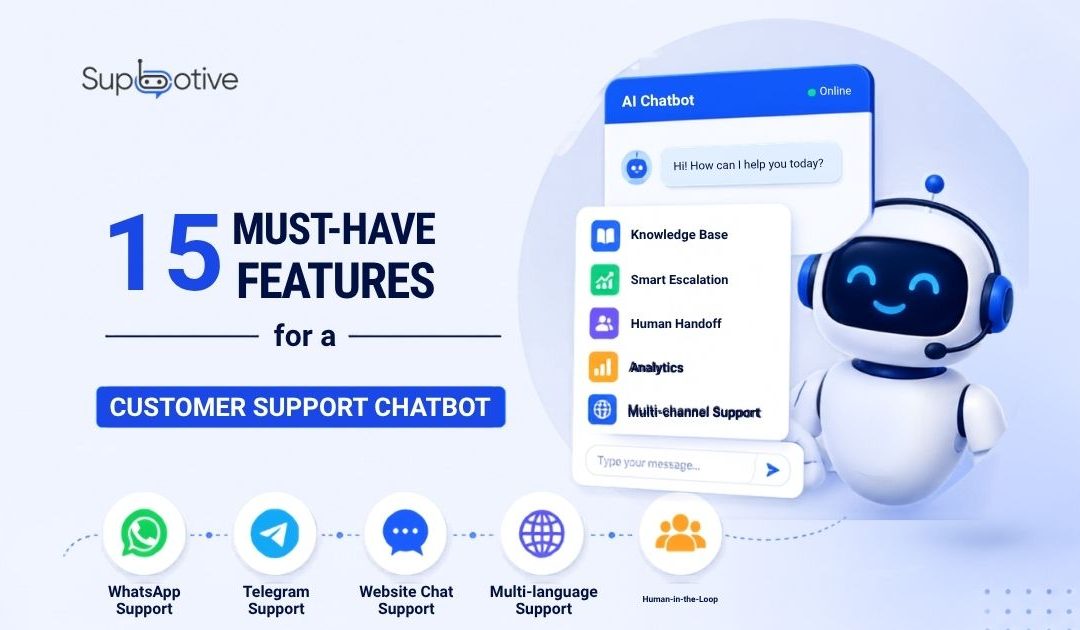
A strong customer support chatbot should do more than reply quickly. It should understand customer questions, search your approved knowledge base, give accurate answers, escalate complex issues to human agents, and improve over time from real conversations.
The best chatbot is not the one that answers everything. The best chatbot is the one that handles routine questions well and knows when to hand over to a human.
That difference matters. A chatbot that guesses can damage trust. A chatbot that knows its limits can improve the whole support experience.
Why Customer Support Chatbot Features Matter
Many businesses choose a chatbot because it says “AI-powered” or “instant replies.” But fast replies are only useful when the answer is correct.
A customer support chatbot should help your team reduce repetitive work without blocking customers from human help. It should answer simple questions, protect answer accuracy, and send complex issues to the right agent.
For businesses using WhatsApp, Telegram, or website chat, the right features can turn messy customer messages into a structured support workflow.
Here are the 15 most important customer support chatbot features to look for.
1. Knowledge Base Integration
A customer support chatbot should connect to your FAQs, policies, service guides, product details, and support documents.
This is the foundation of accurate automation. If the chatbot cannot read your approved knowledge base, it may give generic answers that do not match your real business process.
With Supbotive, the chatbot answers from your own business documentation. That helps keep replies clear, controlled, and consistent.
2. Natural Language Understanding
Customers do not always ask questions in the same way.
One customer may ask, “Can I return this?” Another may ask, “What is your refund policy?” Both may need the same answer.
Natural language understanding helps the chatbot understand intent, not just keywords. This makes the conversation feel smoother and less robotic.
3. RAG-Based Answers
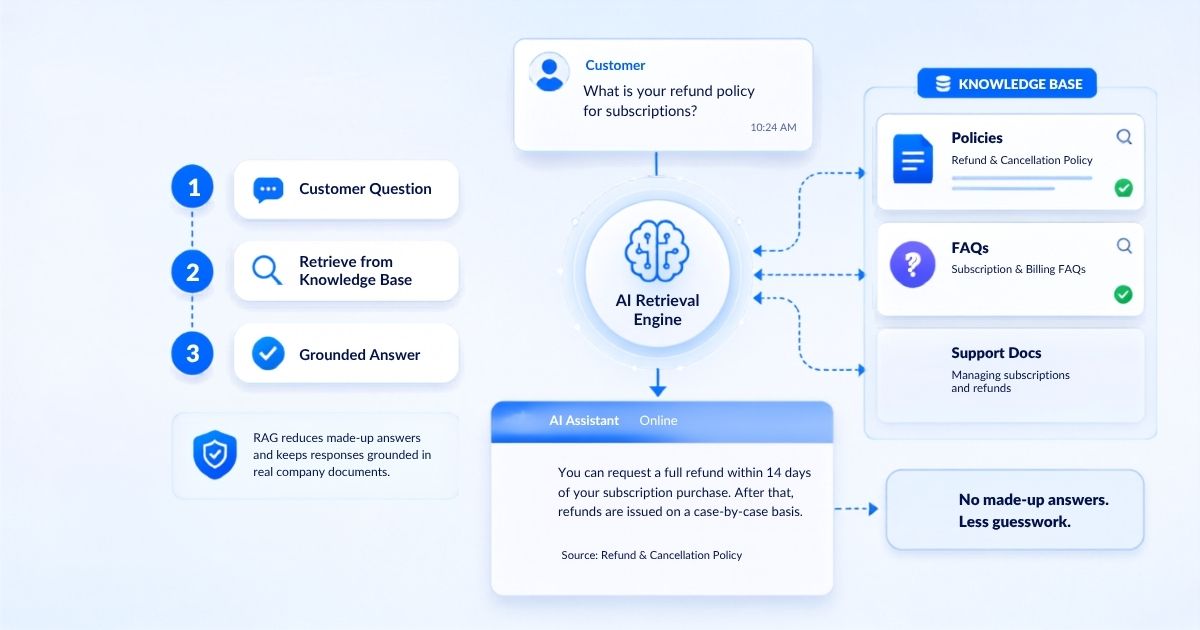
RAG stands for Retrieval-Augmented Generation. In simple words, it means the chatbot first retrieves the most relevant information from your knowledge base before creating a reply.
This reduces the risk of made-up answers. Instead of guessing, the chatbot grounds its response in your actual documents, policies, and support content.
4. Smart Escalation
A good chatbot should know when to stop.
Smart escalation means the chatbot can pass a conversation to a human agent when the issue is complex, sensitive, unclear, or outside the knowledge base.
This is important for complaints, refund disputes, legal concerns, damaged item claims, and angry customers. Automation should never trap people when they need real human help.
5. Full Conversation History Transfer
Escalation is not enough by itself. When a human agent takes over, they should receive the full conversation history. They should know what the customer asked, what the chatbot answered, and why the issue was escalated.
This prevents the customer from repeating the same problem again. It also helps the agent respond faster and with better context.
6. Confidence Scoring
A chatbot should measure how confident it is before sending an answer. If the confidence score is high, the chatbot can reply. If the confidence score is low, it should escalate instead of guessing.
This feature is important because a wrong answer delivered confidently is worse than a simple handoff to a human agent.
7. Sentiment Detection
Some customers need a human even if the question is technically simple. Sentiment detection helps the chatbot identify frustration, urgency, anger, or negative language. For example, repeated messages, capital letters, or strong complaint wording may show that the customer is upset.
In those cases, the chatbot should escalate quickly. A frustrated customer does not need another automated reply. They need empathy and judgement.
8. WhatsApp Support
For many businesses, WhatsApp is where customers already ask questions. A customer support chatbot should work inside the channels customers actually use. If most customer messages come through WhatsApp, automation should happen there, not only on the website.
Supbotive supports WhatsApp customer support automation, helping businesses answer common questions directly inside WhatsApp conversations.
9. Telegram Support
Telegram is another important messaging channel for many businesses and customer communities. A Telegram customer support bot can help answer routine queries, organize conversations, and reduce manual replies.
For teams already receiving Telegram messages, this keeps support faster and more structured.
10. Website Chat Support
Website chat is useful because it helps visitors get answers before they leave your site. Customers may ask about pricing, services, product details, returns, contact options, or how to get started.
A chatbot on your website can answer these questions instantly and help reduce lost leads caused by slow response times.
11. Multilingual Support
A good AI customer support chatbot should be able to detect a customer’s language and reply in the same language when the knowledge base supports it. This is useful for businesses serving customers from different countries or language backgrounds.
Multilingual support does not mean the chatbot should invent answers in every language. It should still answer from approved business knowledge and escalate when the answer is unclear.
12. Easy Knowledge Base Updates
Business information changes.
Policies change. Prices change. Opening hours change. Return rules change. New services are added. Your team should be able to update the chatbot knowledge base easily.
If old answers cannot be corrected quickly, the chatbot becomes risky. A strong chatbot system should make updates simple and fast.
13. Unanswered Query Tracking
Every question the chatbot cannot answer is useful data. A good chatbot should flag unanswered queries so your team can review them. These gaps can then be added to the knowledge base.
This is how chatbots improve over time. The team answers a missing question once, then the chatbot can handle it automatically in the future.
14. Analytics and Reporting
A customer support chatbot should show what is happening inside your support conversations.
Useful chatbot analytics include:
- Most asked questions
- Escalation rate
- Unanswered queries
- Resolution rate
- Common knowledge gaps
These reports help your team improve support, update content, and understand what customers are struggling with.
15. Human-in-the-Loop Control
AI should support human agents, not replace human judgement. Human-in-the-loop control means people stay involved where it matters.
The chatbot handles repetitive questions, while human agents manage complex, sensitive, or high-value conversations. This balance protects customer trust and keeps automation useful.
Features That Sound Good but Matter Less
Some chatbot features look impressive but do not improve support quality. A fancy chatbot avatar will not fix bad answers. Fast replies will not help if the answer is wrong. Too many automated flows can confuse customers instead of helping them.
The most important features are accuracy, knowledge base quality, smart escalation, context transfer, and continuous improvement.
Before choosing a chatbot, ask this simple question:
“Will this help customers get the right answer faster?”
If the answer is no, the feature may not matter.
How Supbotive Covers These Features
Supbotive helps businesses automate customer support across WhatsApp, Telegram, and website chat using their own knowledge base.
It supports knowledge base answers, intent understanding, smart escalation, full conversation history transfer, unanswered query tracking, and human-in-the-loop support.
The goal is simple: answer routine customer questions instantly while sending complex conversations to the right human agent with full context.
Conclusion
A customer support chatbot should not be judged only by how fast it replies.
The best chatbot features are the ones that improve answer accuracy, reduce repetitive workload, protect customer trust, and make human handoff smooth.
Before choosing a chatbot, check whether it can answer from your knowledge base, escalate safely, transfer context, and improve from unanswered questions.
That is what turns a chatbot from a basic reply tool into a real customer support system.
FAQs
The most important features are knowledge base integration, natural language understanding, RAG-based answers, smart escalation, full conversation history transfer, confidence scoring, sentiment detection, and analytics.
Knowledge base integration allows the chatbot to answer from approved business information instead of giving generic or unreliable replies.
Smart escalation is when a chatbot automatically transfers a conversation to a human agent when it cannot answer confidently or detects a sensitive issue.
Yes, if your customers already contact you through WhatsApp. A chatbot should support the channels your customers actually use.
No. A chatbot should handle repetitive questions and support human agents, while complex or sensitive issues should still go to a person.
Interested in learning more? Get in touch!
Please fill out the form below and we will get back to you shortly.