
The Real Reason Most Chatbots Give Bad Answers
People blame the chatbot when things get wrong. Most of the time, it’s not the chatbot’s fault.
The problem is almost always the knowledge base underneath it. Vague content. Outdated policies. Answers written for humans to read not for AI to retrieve.
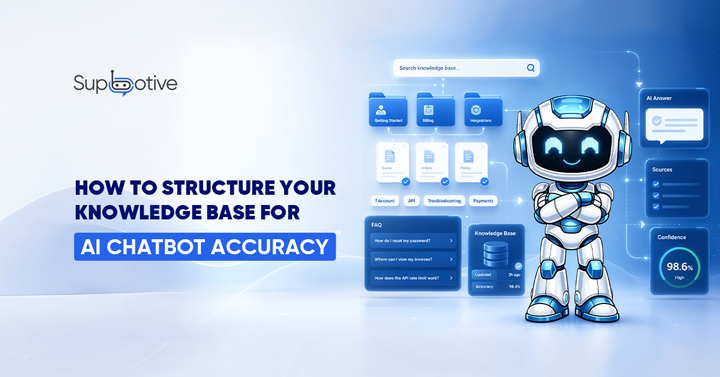
Most chatbot failures trace back to the knowledge layer, not the chatbot itself. If the information going in is messy, the answers coming out will be too. Fix the knowledge base, and the chatbot becomes significantly more accurate than no new AI model needed.
Here’s how to structure yours, so it works properly.
1. Start With Q&A Format Not Long Articles
This is the single most important structural decision you’ll make. Structure content as clear questions and answers whenever possible. This directly maps to how customers interact with your chatbot.
Long articles are written for humans to read from top to bottom. AI chatbots don’t work that way. They scan for the most relevant passage that matches what the customer asked for. If your answer is buried in paragraph 4 of a 600-word article, the chatbot might miss it entirely or pull out the wrong section.
Short Q&A pairs work better. One question. One clear answer. No fluff around it.
Instead of writing: “Our return policy covers a range of scenarios depending on the product type, purchase date, and condition of the item upon return…”
Write: “How long do I have to return an item? You have 30 days from the delivery date to return any unused item in its original packaging.”
That’s what your chatbot can retrieve accurately. The long version isn’t wrong it’s just not built for AI to use.
2. Organize by Topic, Not by Department

That makes sense internally. It makes terrible sense for a customer facing a chatbot.
Use categories, tags, and folder structures to segment knowledge by topic or user need not by internal team structure. Think about how your customers actually ask questions. They ask about shipping, returns, payments, and products not about which department owns the answer.
Group your knowledge base the same way. A customer asking about a refund should hit a clean “Returns & Refunds” section not a mixed document that also covers warehouse procedures and accounting policy.
3. Keep Every Entry Updated and Date It
Schedule 30 minutes weekly to review transcripts and update your knowledge base. This is the single highest ROI maintenance activity for your chatbot.
A chatbot trained in last year’s return policy will give last year’s answer. That’s not a chatbot problem. That’s a documentation problem.
Every entry in your knowledge base should have a “last updated” date attached to it. When a policy changes, prices update, or a product gets discontinued the knowledge base needs to change with it. If it doesn’t, your chatbot confidently gives customers the wrong information.
This doesn’t need to be a big-time commitment. A quick weekly review of flagged conversations is enough to catch most gaps before they become a real customer experience issue.
4. Write in Plain Language No Internal Jargon
Your team knows what “RMA process” means. Your customers don’t. Each entry should provide straightforward, jargon-free explanations. Write answers the way you’d explain them to a customer who’s never dealt with you before. Short sentences. Direct language. No internal shorthand. This matters even more for AI chatbots.
When the chatbot retrieves an answer full of internal terminology, it either repeats the jargon to the customer which confuses them or struggles to match it to what the customer asked in plain English. Simple writing gets retrieved more accurately and reads better to customers. Both things are at once.
Build in an Escalation Path for Every Gap
No knowledge base is perfect on day one. There will be questions your chatbot can’t answer. That’s not a failure it’s expected. What matters is what happening next. When the chatbot hits a gap, it should escalate cleanly to a human agent with the full conversation history attached. The agent resolves it.
That answer then goes back to the knowledge base. Next time the same question comes up, the chatbot handles it automatically. Teams that review chatbot conversations weekly and update their knowledge base continuously have maintained 99%+ response accuracy over time accuracy that would have been impossible without that iterative approach.
This loop gap spotted, human resolves it, knowledge base updated is what separates chatbot deployments that plateau from ones that keep getting better.
How Supbotive Makes This Easier
Most of the work above happens before a chatbot even goes live. Supbotive is designed to make the ongoing part keeping the knowledge base accurate as low effort as possible.
You upload your existing documentation. FAQs, policies, product guides whatever you already have. Supbotive trains on that content and starts answering customer queries on WhatsApp and Telegram immediately.
When a question comes up that the knowledge base can’t answer, Supbotive flags it automatically. Your team sees it, adds the answer, and the chatbot handles it next time. No manual searching for gaps. No guesswork about what’s missing.
The result is a customer support chatbot that gets more accurate over time without your team spending hours maintaining it manually.
Want to see how Supbotive builds and improves its knowledge base using your real documentation? Book a live demo and bring your toughest support scenarios.